Is The LG UR9000 TV Best or Worst in 2026?
Our team of experts thoroughly tested the LG UR9000 TV to see how it performs in real-world conditions. From its 4K display to its smart features, we evaluated every aspect to determine if it lives up to the hype. Whether it’s the picture quality, gaming performance, or ease of use, we’ve gone hands-on with the UR9000 to provide an in-depth review. If you’re thinking about upgrading your home entertainment setup, read on to find out how this TV stacks up.
Reasons to Buy
- Image remains consistent at a wide viewing angle
- Good selection of streaming apps
- Good low-quality content smoothing
Reasons to Avoid
- Terrible contrast results in blueish blacks in a dark room
- Not bright enough to overcome intense glare
- Poor low-resolution upscaling
Design & Aesthetics
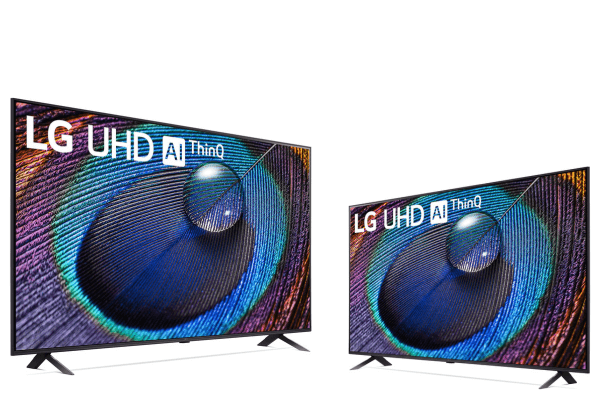
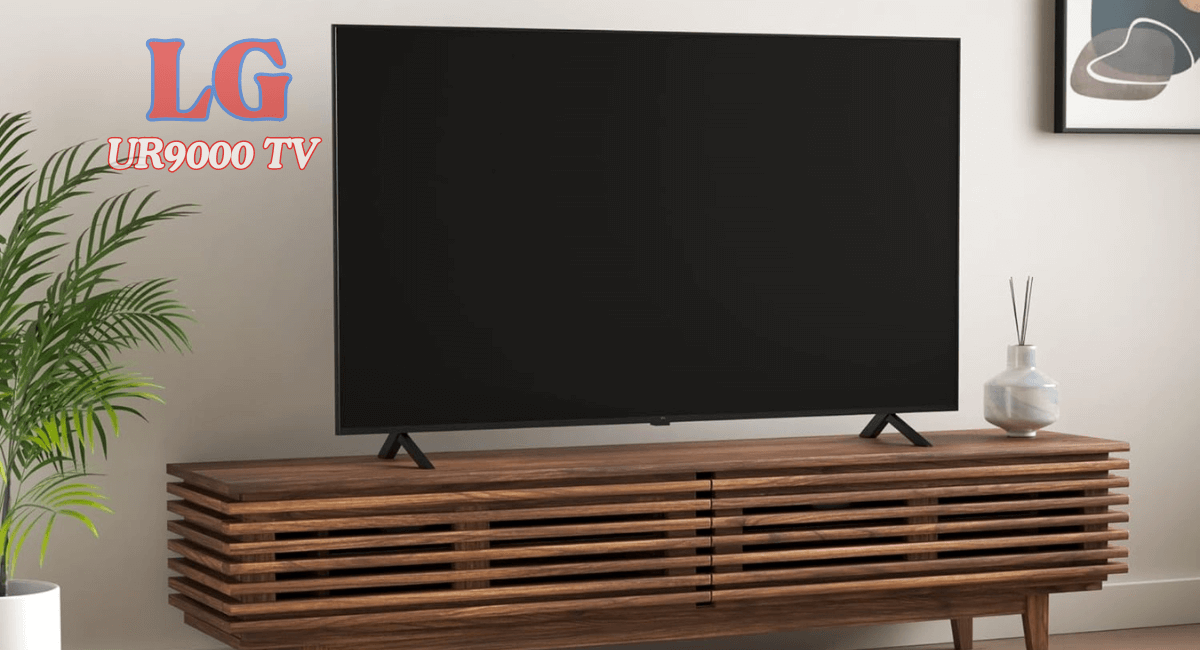
The design of the LG Class UR9000 Series Alexa Built in 4K Smart TV is pretty straightforward, and while it doesn’t have the premium feel of some of LG’s higher-end models, it still gets the job done. The bezels are thin on all sides except for the bottom, which is slightly thicker, but honestly, it doesn’t really take away from the overall look. It’s clean and minimal, which I appreciate. The thinner bezels really help the screen stand out, making it all about the content rather than the frame.
One thing I really liked was the flexibility with the feet. The V-shaped legs can be adjusted to two different positions—either a wider stance of about 46 inches apart or a narrower 16.6-inch stance. This made it super easy to fit it onto my media stand without having to rearrange everything. However, keep in mind that the feet are 11.8 inches deep, and they lift the TV about 3.3 inches from the table. This height is perfect for fitting most soundbars underneath, but here’s the catch—the soundbar might block the infrared sensor if it’s too high. I didn’t have an issue with mine, but it’s something to keep in mind.
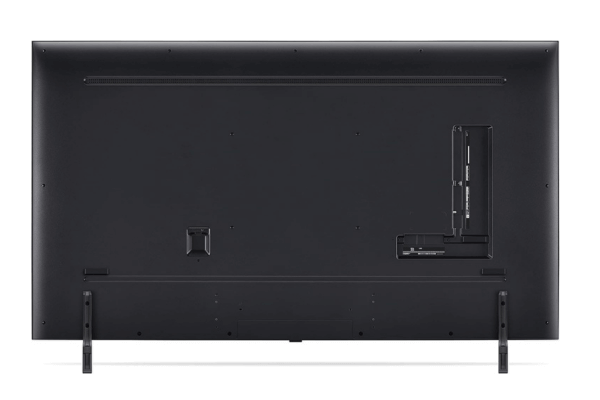
Around the back, the design is nothing fancy, but it’s functional. The inputs are recessed into the back panel, which looks clean, but they’re a bit tricky to reach if you’ve wall-mounted the TV. Speaking of wall mounts, it’s compatible with a VESA 300×300 mount, so you’ve got options if that’s your setup. Another thing to note is the cable management. There are clips on the back, right above the feet, to help guide your cables, but if you have the feet in the wider position, you’ll end up with cables coming out of both sides of the TV, which can get messy. Unfortunately, you can’t move the clips toward the center, so you might have to get creative with your cable organization.
The LG UR9000 TV doesn’t try to wow you with its design like the Roku Pro Series QLED TV, but it’s solid and functional. It fits well into most spaces, and while it’s not the sleekest or flashiest TV out there, it’s practical and easy to work with. If you’re looking for a TV that focuses more on function and flexibility than high-end aesthetics, this one is a good option.
Materials and Build Quality
When it comes to the build quality of the LG UR9000 TV, I’d say it’s decent, especially considering it’s an entry-level TV. It’s not trying to be super premium, but it holds up well enough for everyday use. One thing I noticed right away is that the metal feet do a solid job of keeping the TV stable. There’s minimal wobbling, which is important, especially if you have kids or pets that might bump into it. The feet feel sturdy, and I appreciate that the TV doesn’t feel flimsy when you set it up.
Now, the back of the TV is made of metal, which gives it a bit of a more premium feel at first glance. But, when I gave it a closer look, I did notice that it flexes a bit more than I’d like. If you press on it, there’s some noticeable give. However, in day-to-day use, this doesn’t seem to be a big issue, especially since most people won’t be handling the back of their TV once it’s set up. Still, if you’re someone who wall-mounts your TV, you might want to be a little cautious during installation to avoid bending or flexing the back too much.
One concern worth mentioning, especially for an edge-lit TV like this, is durability over time. From what I’ve learned, edge-lit models like the LG UR9000 can sometimes run into issues as they age. In long-term tests, we’ve seen things like warped reflector sheets, cracked light guide plates, and even burnt-out LEDs in similar TVs. It’s something to be aware of if you’re planning on keeping this TV for the long haul. While the build quality feels solid out of the box, edge-lit TVs are generally more prone to these types of issues compared to direct-lit models.
Well I’d say the build quality of the LG UR9000 55″ 4K HDR Smart LED TV is what you’d expect for an entry-level TV. It feels solid enough for typical use, but if long-term durability is a major concern for you, especially with the potential for issues down the line, it’s something to keep in mind.
Connectivity and Usability
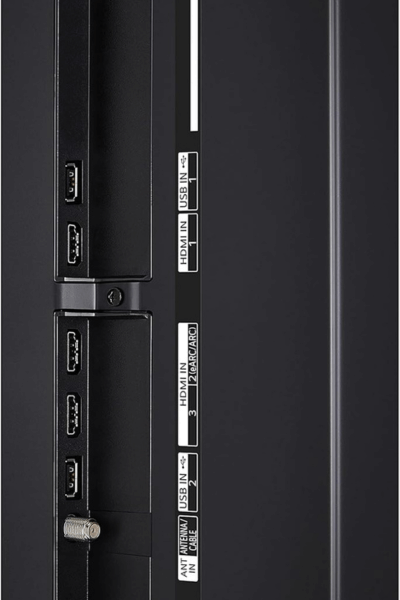
In terms of connectivity, the LG 55-Inch Class UR9000 Series does a decent job, but there are some limitations to be aware of. The TV comes with three HDMI 2.0 ports, which handle most of the typical devices like gaming consoles, streaming boxes, and Blu-ray players just fine. However, if you’re looking for HDMI 2.1 for next-gen gaming or future-proofing, you won’t find it here. For regular use, though, HDMI 2.0 is more than enough.
When it comes to HDR support, the LG 4k smart TV gives you HDR10 and HLG, which provide a solid picture quality for most content. However, if you’re after the highest dynamic range and contrast, you’ll miss out on Dolby Vision and HDR10+. For most users, HDR10 is fine, but if you’re used to those more advanced formats, you might notice the difference in color depth and brightness.
One thing that stood out to me is how the inputs are laid out. The power input is on the left side, while everything else, like the HDMI ports and Ethernet, is on the right side of the back panel. They’re recessed, so if you’re wall-mounting the TV, it can be a bit tricky to access them. Once it’s set up, it’s not a huge deal, but something to keep in mind if you frequently plug and unplug devices.
Audio-wise, the eARC port is a nice touch. It supports Dolby’s lossless audio formats, which is a big plus if you have a high-quality sound system. On the downside, it doesn’t support DTS, which might be disappointing for movie buffs. A lot of Blu-ray discs and DVDs use DTS audio tracks, so if you’re planning to watch those, you’ll want to connect your media player directly to your home theater system for the best sound experience.
This LG 55” TV does support both 2.4 GHz and 5 GHz Wi-Fi, so streaming content is pretty smooth. If you prefer a wired connection, an Ethernet port is available. Overall, while the LG UR9000 TV offers solid connectivity for everyday use, the lack of HDMI 2.1 and DTS support might be a drawback for more advanced users. For most setups, it’s functional and does the job, but there are a few compromises depending on what you’re looking for.
Sound Quality
When it comes to sound quality, the LG Series Alexa leaves a bit to be desired. Right off the bat, I noticed that it lacks any real bass. If you’re watching movies or listening to music with heavy low-end sounds, the TV doesn’t quite deliver that full, immersive experience. It performs okay at lower volumes, but as you start cranking up the volume, things get a bit messy. The higher you go, the more the sound quality deviates, with noticeable compression and pumping artifacts that detract from the overall experience. If you want good sound quality smart 4k tv, so we recommend to check VIZIO M50QXM-K01 M-Series or VIZIO VFD40M-08.
One of the major issues is distortion, which is quite noticeable at higher volumes. The TV really struggles with what’s called intermodular distortion, which basically means you’ll hear odd hisses and tones that aren’t part of the original audio. This becomes especially clear when you push the volume to its maximum. It’s less obvious when you’re watching regular TV shows or movies, but if you pay close attention during music or specific sound effects, you’ll definitely hear the muddling. Music, in particular, sounds thin and lacks the richness you’d expect from a higher-end sound system.
Another thing to keep in mind is that the dynamic range compression is a bit of a problem. The sound doesn’t stay consistent, and you’ll notice it most when you try to push the volume to higher levels. It loses clarity, and the frequencies don’t stay as true to what they should be. The sound starts to break down, and you’ll hear distortion across all levels, but especially when you’re at max volume.
In short, the LG UR9000 Series 55″ 4K Ultra HD LED Smart TV’s sound quality works for casual viewing at lower volumes, but if you’re someone who enjoys a more immersive audio experience, especially with music or action-packed movies, you’re likely going to feel the need for an external sound system or soundbar. The built-in speakers just don’t have the depth or clarity to handle more complex audio, and the distortion issues at higher volumes are hard to overlook.
Smart Features
The LG UR9000 TV comes equipped with webOS 23, which is generally easy to use but does have some hiccups. The overall interface is simple to navigate, and the learning curve is minimal, which I really appreciated. However, I did notice that the smoothness of the system isn’t great. It can be a bit sluggish at times, with noticeable lag when navigating between menus. For example, it took around 2 seconds to open YouTube and about 4 seconds to adjust the backlight, which isn’t too bad, but it’s not as fast as some other smart TVs I’ve used.
One downside is the occasional choppiness, especially with certain apps. Netflix, for instance, tends to be buggy, sometimes freezing entirely, which can be frustrating when you’re just trying to watch something. This lag and freezing detract from the otherwise good experience with the TV’s smart features.
On the plus side, LG’s webOS offers a great selection of apps like INSIGNIA Class F20 Series Fire TV. You’ll have no problem finding all the popular ones like Netflix, YouTube, and Prime Video, along with many others. The app selection is excellent, but the performance of these apps is just average. They work fine most of the time, but the occasional sluggishness can disrupt the experience.
As with many smart TVs these days, there are ads built into the interface, and unfortunately, there’s no way to fully opt out of them. You can limit ad tracking and remove some from the home screen by adjusting the ‘Home Promotion’ and ‘Content Recommendation’ settings, but there will still be ads on the apps page that you can’t get rid of. This is something I found a bit annoying, especially since you can’t fully disable them.
On the bright side, casting from your phone or tablet is easy, and USB playback works well, including for HDR content. Both Netflix and YouTube support HDR, which is great for those looking for a more dynamic viewing experience.
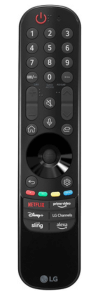
The remote is another highlight. The LG Magic Remote makes navigating the menus easier, as you can use it as a pointer or rely on the buttons. It also has an integrated microphone, which is a nice touch for voice commands. You can use voice control to open apps, search for content, or even ask for the time and weather, and it works pretty well. The remote’s design is intuitive, and overall, it makes interacting with the smart features more enjoyable.
There’s also a physical button on the bottom of the TV for basic control like powering it on or off, changing inputs, and adjusting the volume. It’s located near the infrared sensor, so it’s easy to access, though not something you’ll use as much if you rely on the remote.
Picture Quality
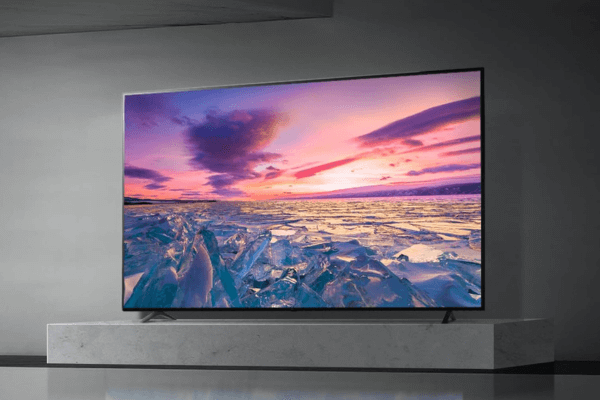
When it comes to picture quality, the LG UR9000 TV also leaves quite a bit to be desired, especially if you’re looking for deep contrast and vibrant HDR performance. Right away, the contrast is one of the weakest points. With a native contrast ratio of 1,057:1, blacks look more like a washed-out gray, which is really noticeable in darker scenes. Shadows don’t have much detail, and overall, the image feels flat when you’re watching something with a lot of dark content unlike TCL Class S4 4K LED Smart TV.
The local dimming feature, which is supposed to improve contrast, is unfortunately not helpful at all. In fact, I found it made things worse. When set to ‘High,’ it does increase contrast slightly, but it introduces severe blooming, where bright areas bleed into dark ones. It becomes distracting, especially in scenes with a lot of contrast between light and dark areas. I tried watching a movie with local dimming on, but the blooming was so bad that I ended up turning it off. When it’s off, the entire backlight stays on at the same intensity, and while this avoids the blooming, it also means there’s no real improvement in contrast. It feels like a lose-lose situation here.
In Game Mode, the story is pretty much the same. The contrast remains low, and while you can enable local dimming to boost brightness, you’re trading that off for poor image quality and more blooming. For gamers who like playing in darker environments, this might be a letdown, as shadow details are often hard to make out.
HDR performance is another area where the LG UR9000 4k smart tv struggles. The HDR brightness is mediocre, and it fails to make highlights really pop, even in a dark room. I was hoping for more vibrancy, but the low contrast combined with the dim brightness means that bright highlights in HDR content just don’t stand out. Even with local dimming set to ‘High,’ there’s little improvement—sure, the screen gets a bit brighter, but the tradeoff is again more blooming and unnatural lighting transitions. In both Cinema and Game Modes, the HDR brightness remains underwhelming.
That said, the 55 inch Class LG 4K UHD Smart TV does have decent reflection handling. The anti-reflective coating does a pretty good job of reducing glare, which is nice if you’re in a moderately lit room. However, with the TV’s relatively low peak brightness, it doesn’t do well in rooms with a lot of natural light or direct sunlight. You’ll probably find yourself squinting to see darker scenes.
One thing the LG UR9000 does handle well is low-quality content. If you’re watching lower-resolution videos or streaming compressed content, the TV manages to smooth things out without too much noticeable macro-blocking. This is particularly useful if you’re watching older shows or YouTube videos. The smoothing of lower-quality content is decent, but the TV does have trouble preserving finer details in darker scenes.
For PC users, the TV uses an IPS panel with an RGB subpixel layout, which means text clarity is pretty good, especially with Windows ClearType. This makes it a decent option for those who might use it as a large monitor for work or light gaming, but again, the poor contrast and dim HDR limits its appeal for media consumption.
Final Verdict
The LG UR9000 TV is a solid entry-level 4K TV that offers decent performance for its price, but it lacks many of the advanced features found in higher-end models. The design is functional, the build quality is good enough for everyday use, and the smart features, while a bit sluggish, provide access to all the popular streaming apps. However, the picture quality is underwhelming, especially with poor contrast and mediocre HDR performance. The sound quality also leaves room for improvement, making this TV better suited for casual viewing or as a budget-friendly option for those not seeking high-end features.
How did we test this model?
Our expert team conducted thorough evaluations of various smart TVs, including the LG UR9000. We set up each TV in a real-world home environment, assessing picture quality, sound performance, and smart features under different lighting conditions.
To gauge picture quality, we watched a range of content—from bright, colorful animations to dark, dramatic films—paying close attention to color accuracy, contrast, and motion handling. We also tested the smart platform, navigating through streaming apps, checking load times, and evaluating the user interface’s ease of use.
For sound, we listened to music and dialogue, noting clarity and volume levels. We also assessed the connectivity options, including Bluetooth and HDMI ports, and how well the TVs integrated with other smart home devices.
By using these comprehensive methods, we ensured our reviews reflect genuine user experiences, helping you make an informed decision on your next smart TV.